image

Urban Air

Role

Solo Designer and Builder

Project

Interactive Prototype and Design System

Date

October 2026

Technology

Claude Code, Next.js, Tailwind, PHP, Storybook, Playwright, Figma

image

The Challenge

Booking a flight is one of the most demanding experiences to design. It takes a while to complete, it is high stakes, and people do it on every kind of device, often while stressed about dates, cost, and who is traveling with them.

I built a project that proves I can handle the whole problem, not just one slice of it:

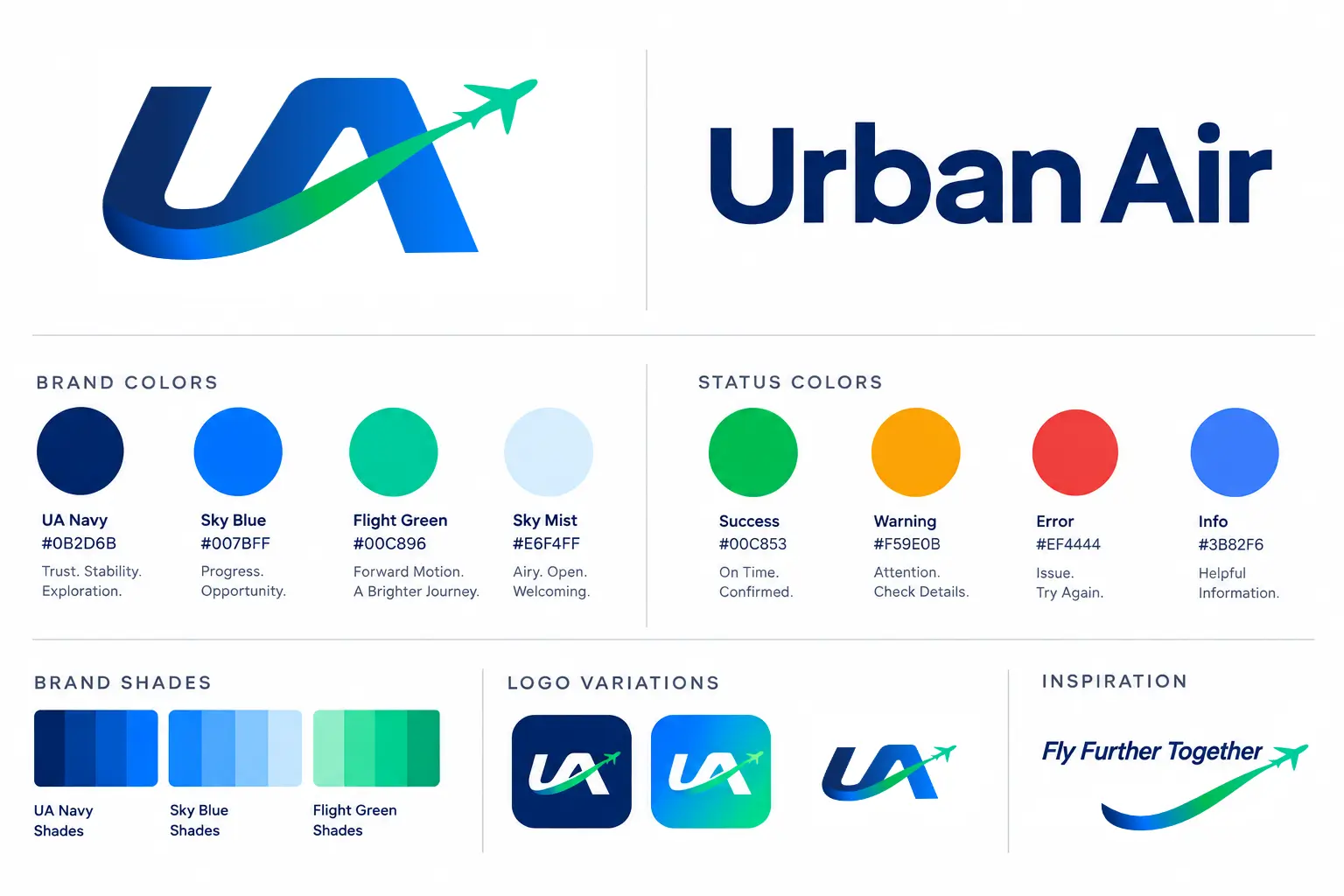
  • Create a believable brand for a travel company.
  • Design a complete, multi-step experience with real detail, not just a hero screen.
  • Make a design system that stays consistent and that people, and AI tools, can build with reliably.
  • Ship it as working software, so the design is proven in a browser rather than only described in a file.

My Role and Approach

I treated Urban Air like a real product team of one. I wrote the product brief, made the design decisions, built the components, and kept a written decision log so every choice has a reason I can explain.

I also used Claude Code as a partner in my workflow, guided by a written build plan, design rules, and a status tracker. That meant I spent my time on design judgment, quality, and direction rather than on repetitive work. It also meant the design system had to be written clearly enough for a machine to follow, which makes it better for human teammates too.

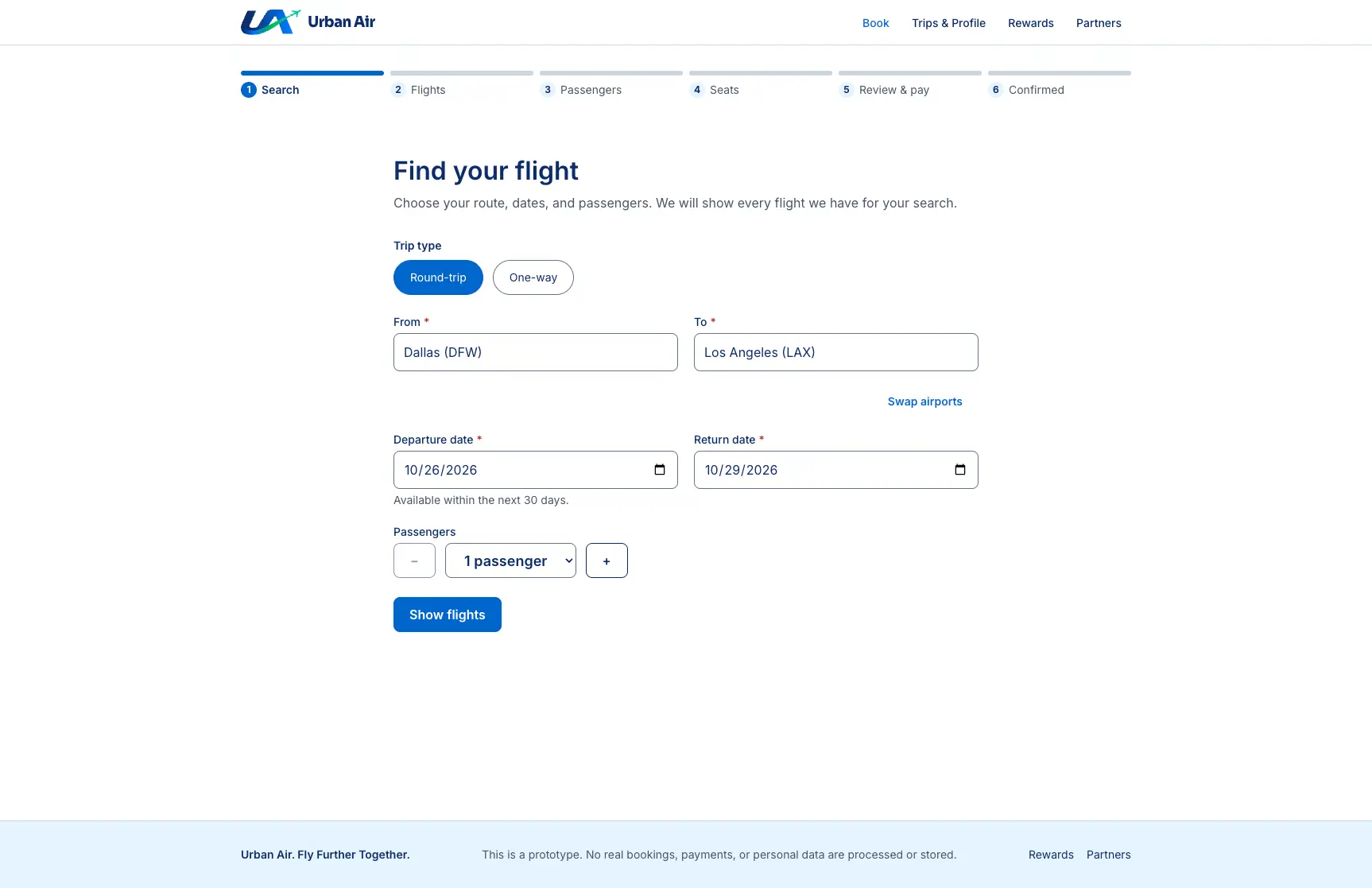
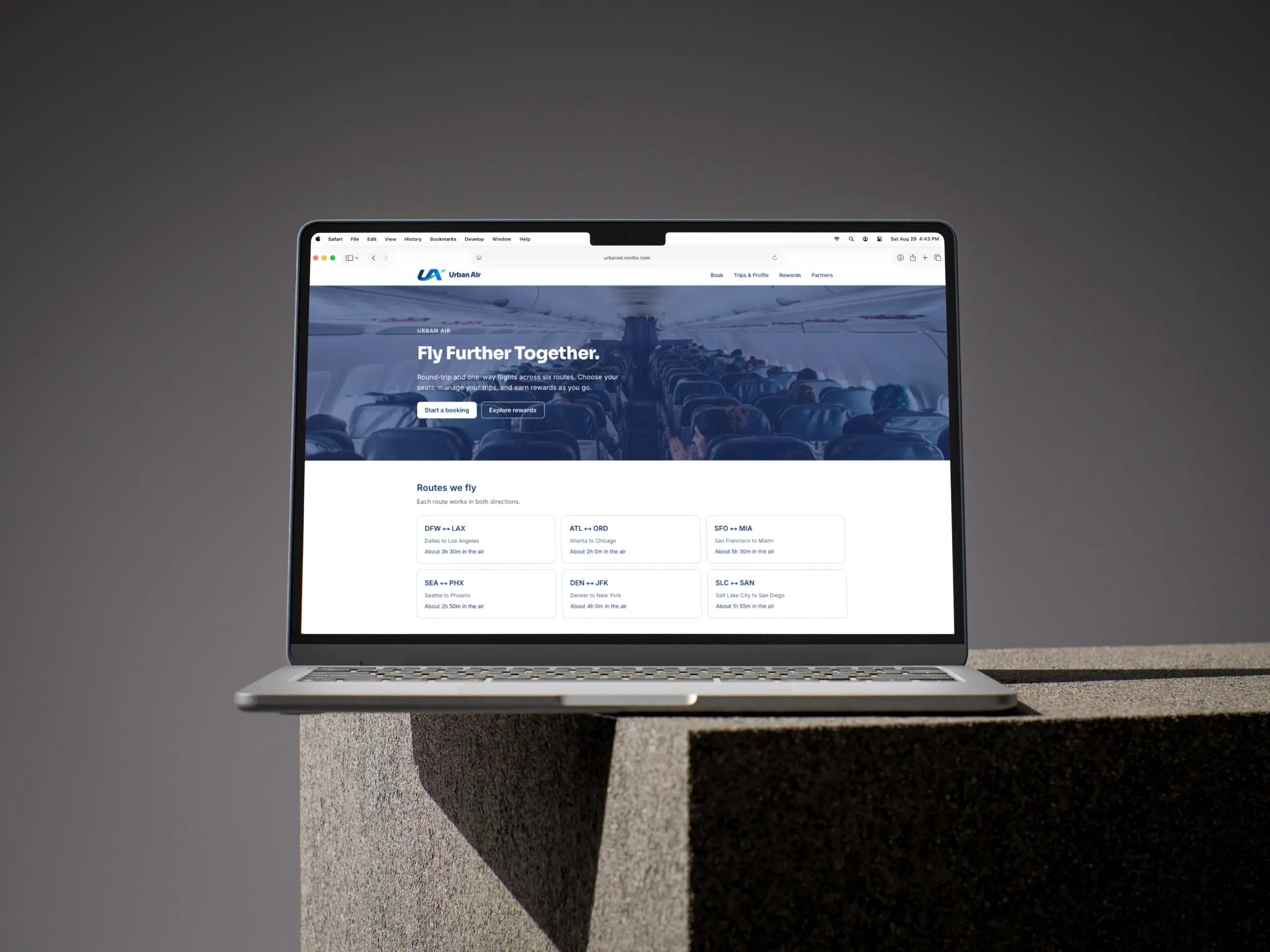
Flight search on Urban Air
Searching for a flight on Urban Air.
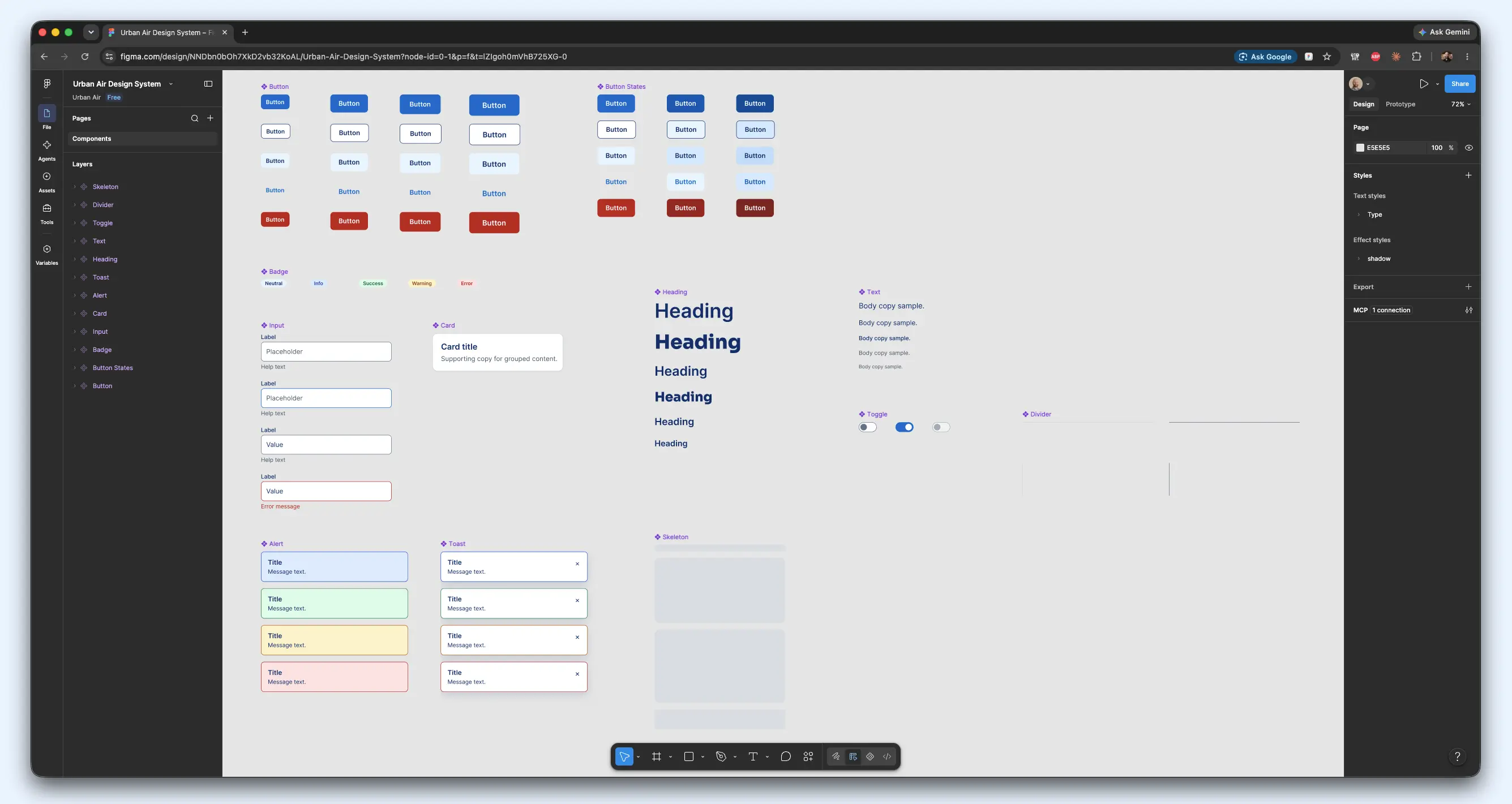
Screenshot of Figma design system for Urban Air
Figma components locked to design system code contracts.

Key design decisions

Calm, clear screens for a stressful task. Each step asks for one thing at a time. Prices, times, and the next action are always easy to find.

Status is never shown by color alone. Every status, such as on time, delayed, or error, pairs a word or icon with its color. This helps travelers with color blindness and makes the interface clearer for everyone.

Errors are part of the design, not an afterthought. The prototype randomly simulates uncommon system problems, such as a slow search or a seat conflict. Each one is handled with plain-language messages and a clear way to recover. I wanted to show that good UX includes the bad days.

Hover and tap get equal care. Tooltips and hover details on desktop have matching tap behavior on phones, so no one is missing information because of the device they use.

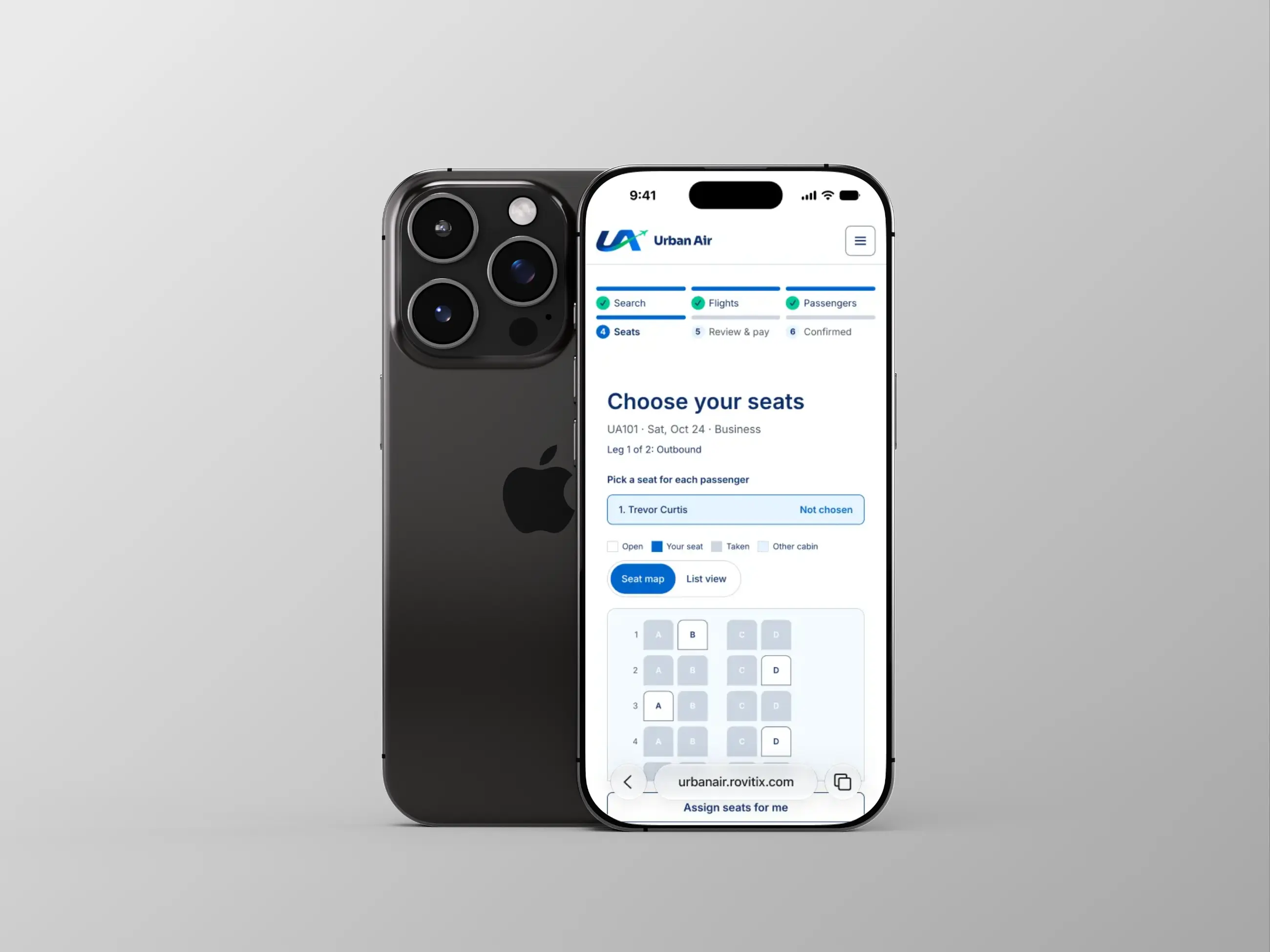
Mobile is not a shrunken desktop. Layouts adapt from desktop to tablet to phone, with views reworked where a simple resize would not be enough.

A light, focused visual theme. I chose not to build a dark mode. A single polished theme, fully tested, was more valuable than two half-tested ones.

Accessibility

Accessibility was a requirement from the first day, not a final polish pass.

  • Text and controls are tested against WCAG 2.2 AA contrast rules. The tests check the actual colors the screen ends up using, so a token change that breaks contrast fails automatically.
  • I chose the interactive blue specifically because the brighter brand blue was too light to read as text.
  • Automated accessibility scans run across the public pages and the booking steps at four screen widths, and across every component in the component library.
  • Keyboard and touch behavior is tested for interactive components.
  • Seat maps and forms include labels for screen readers, and animation respects people's reduced-motion settings.

I am open about the limits here: I have not done a full manual screen reader review, and I will continue to refine this prototype with more accessibility features moving forward.

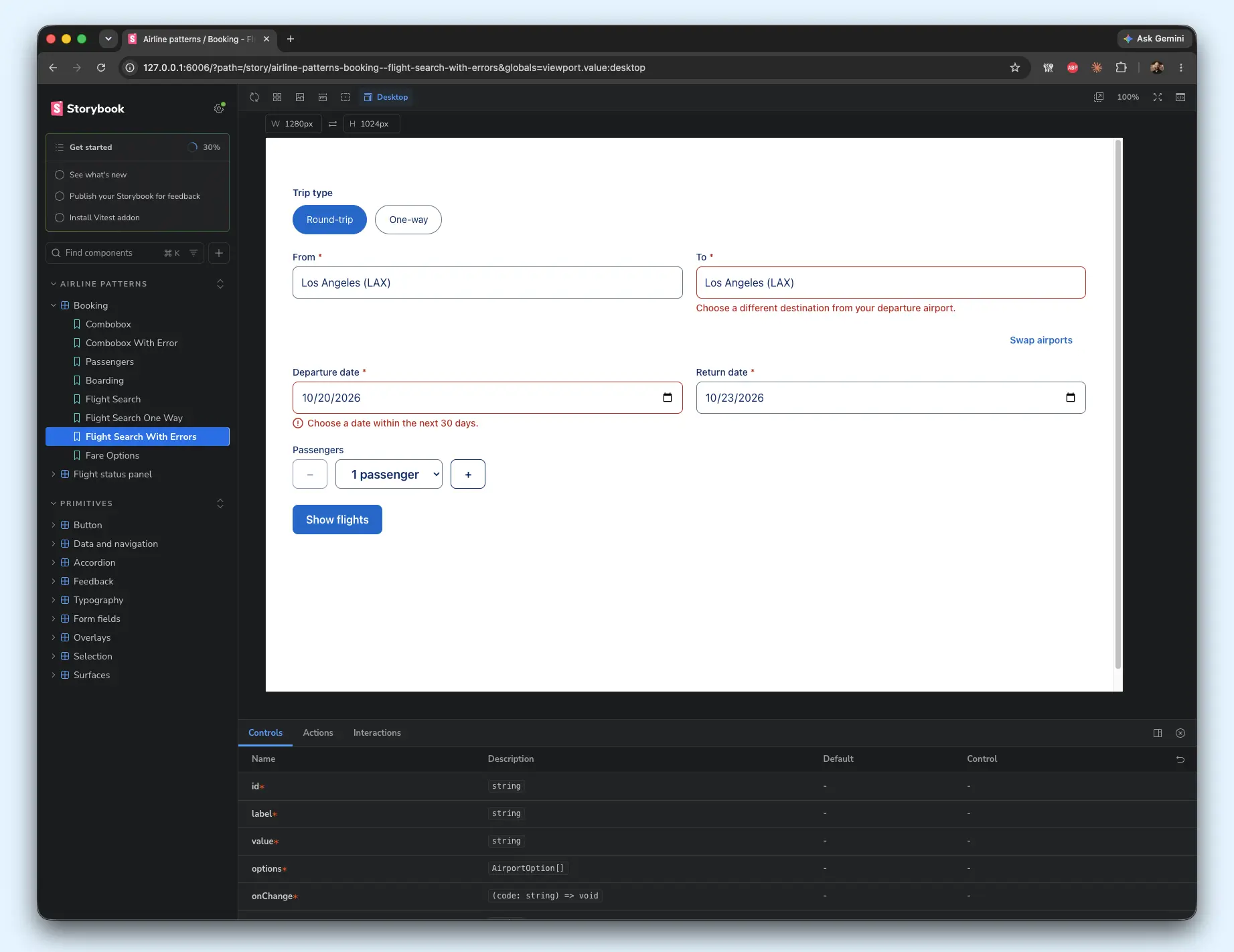
Screenshot of Storybook for Urban Air
Full Storybook integration for all coded components in Urban Air.

The Results

What I set out to show What the prototype delivers
Brand and design system ownership A documented system of tokens and 30+ components, mirrored in Figma and a component library
End-to-end UX A full search-to-boarding-pass journey with rewards, partners, help, and profile pages
Accessibility rigor WCAG 2.2 AA contrast testing and automated scans across pages, breakpoints, and components
Responsive craft Tuned layouts from large desktop down to small phone
Design engineering A working, deployed-style product rather than static mockups
Thoughtful process A written plan, decision log, and status tracker that keep the work organized and explainable
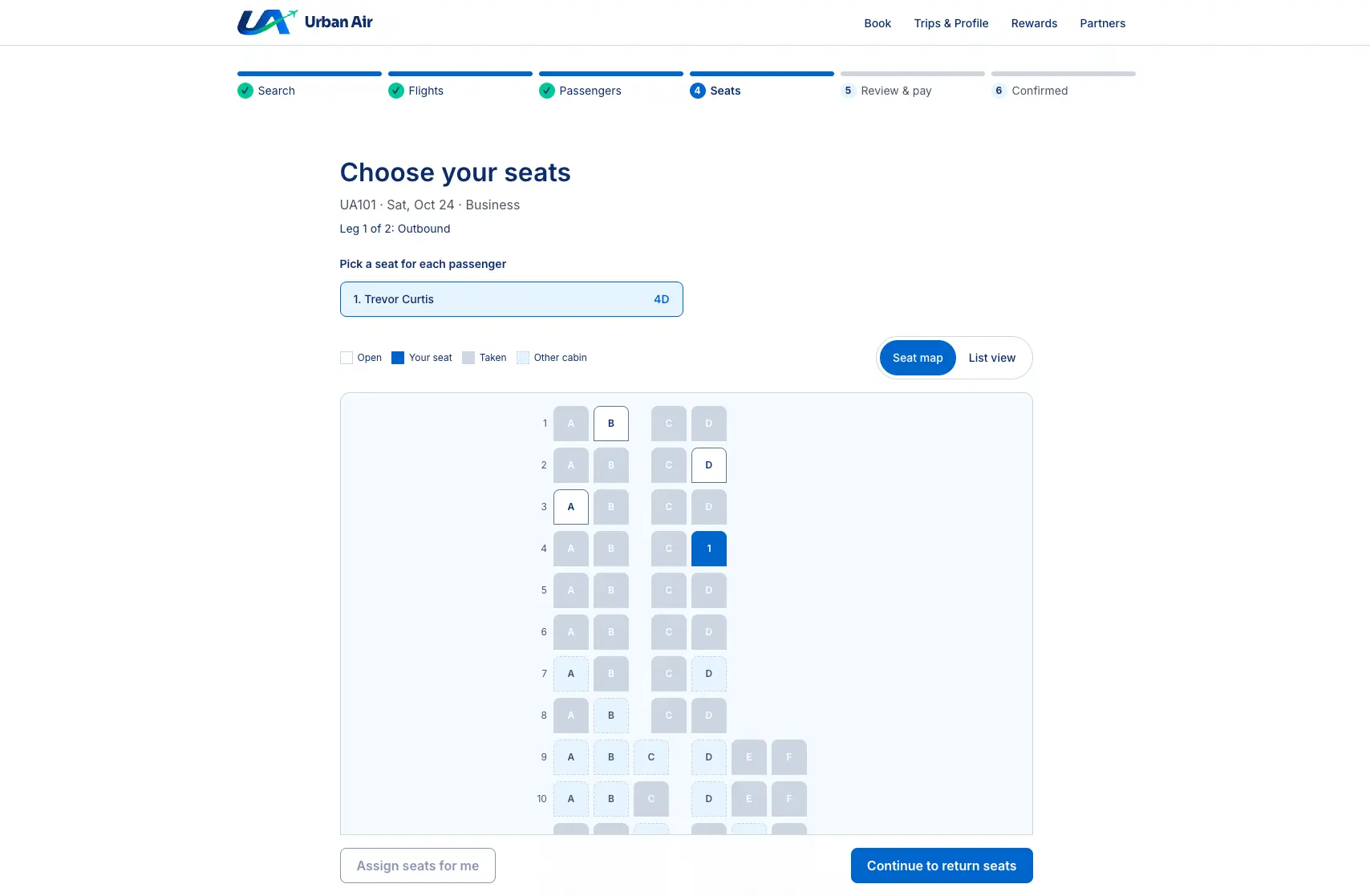
Seat map for Urban Air
Seat map experience design for Urban Air.

What I learned

  • A design system is a product too. Writing precise rules for each component made the build faster and the result more consistent.
  • Design and code should share one source of truth. Generating the Figma file from the same tokens as the website removed the usual "which version is right?" problem.
  • Writing things down is a design skill. The decision log and plans made it easy to stay focused, and they make the project simple for others to understand and pick up.
  • Edge cases make an experience feel real. Designing for errors, empty states, and slow moments did more for the product's credibility than any extra feature.

What I would do next

  • Run usability sessions with real travelers and measure where they hesitate.
  • Complete a manual screen reader review.
  • Add an automated build-and-test pipeline so every change is checked before release.
  • Explore a dark theme once the single-theme experience has been tested with users.
image